Clip Studio Paint with Yuify for digital artists – embed metadata and verify digital ownership directly in your artwork
Yuify icon for embedding metadata and verifying authenticity and digital ownership of artwork.

CLIP STUDIO PAINT での Wacom Yuify の使い方
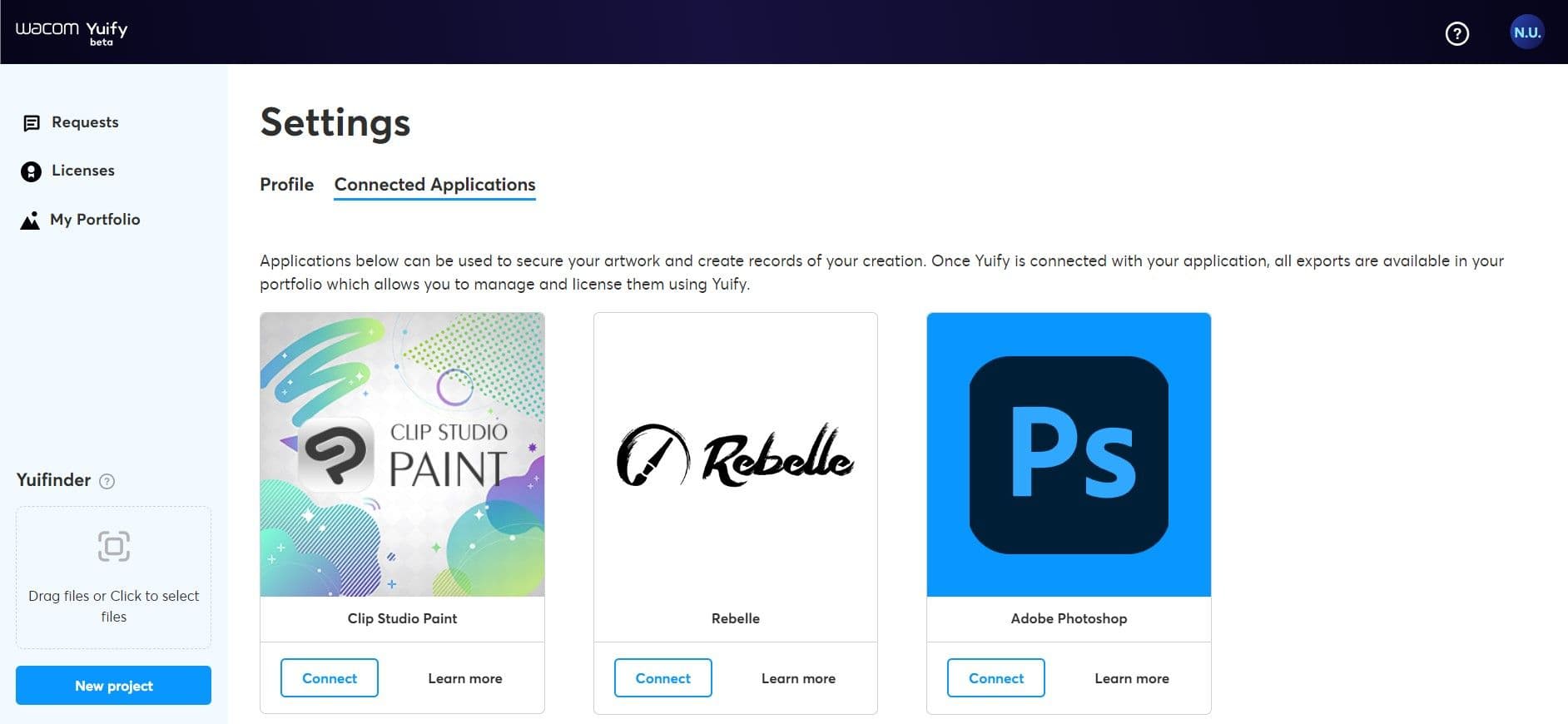
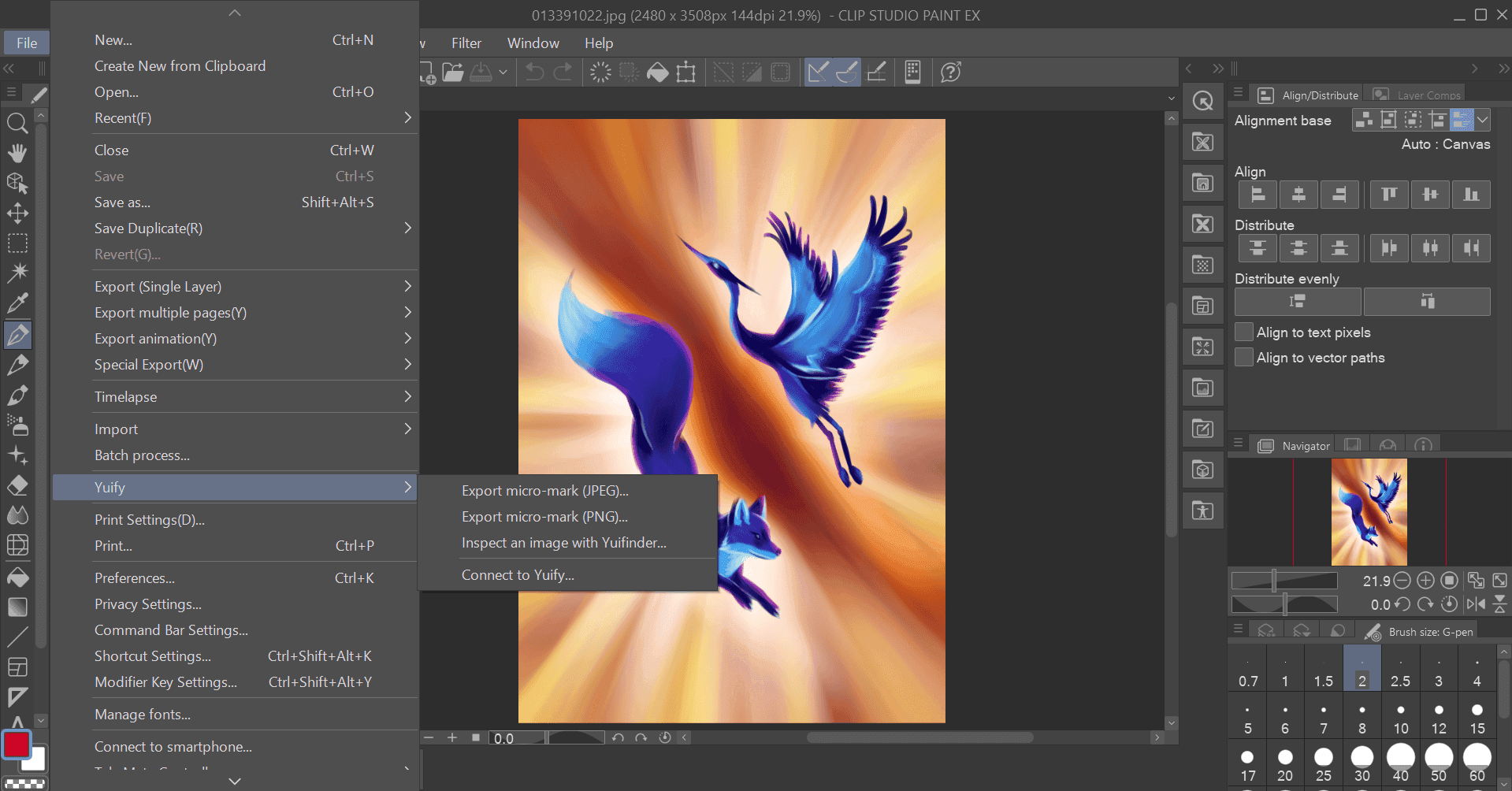
Connected applications page in the Yuify web applicationClip Studio Paint with Yuify workflowClip Studio Paint with Yuify workflowYuify platform dashboard showing 'My Exports' section with exported digital artworksYuify dashboard showing linked exported digital artworks
1. ダウンロード
2. Wacom Yuify へ接続する
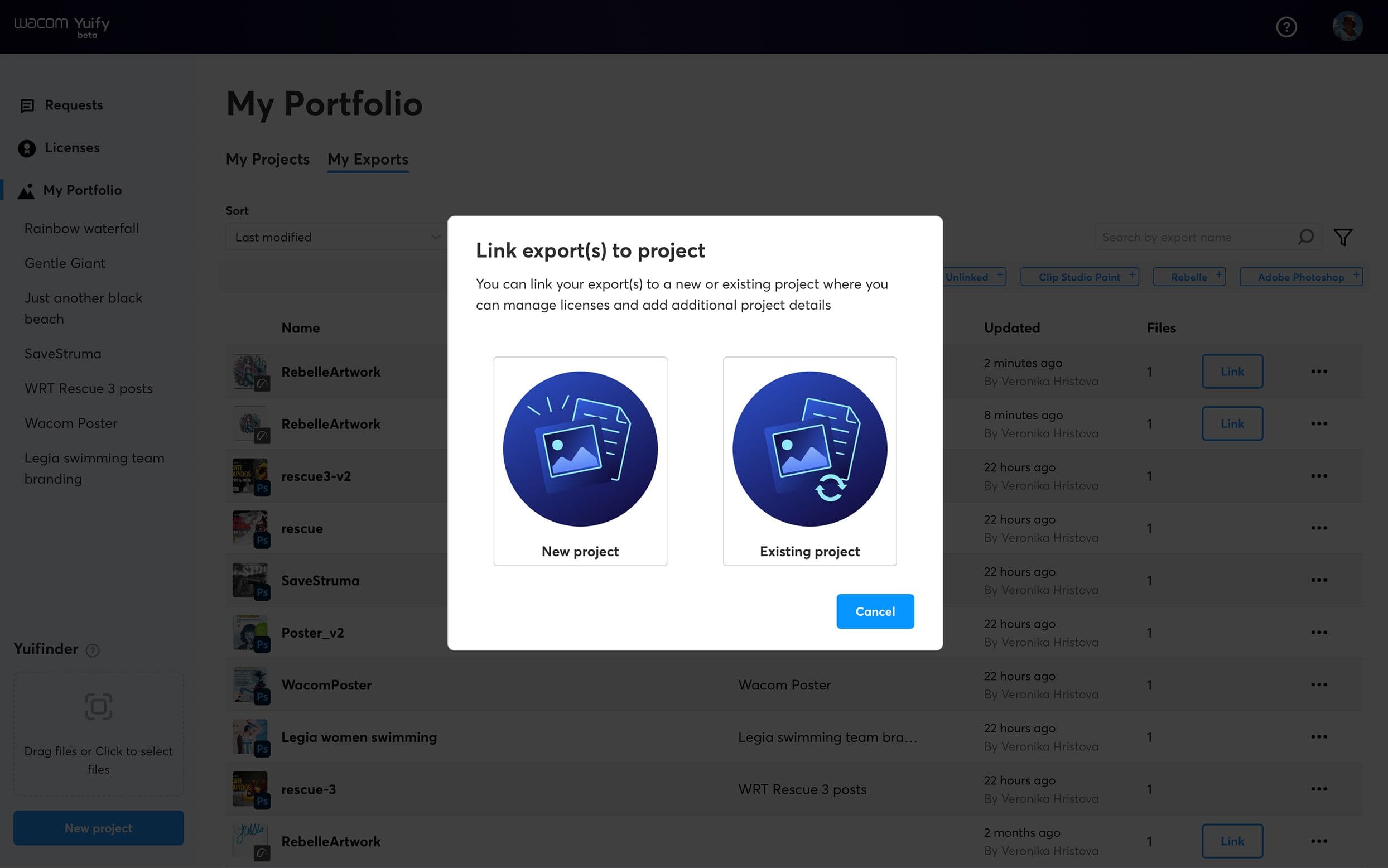
3. エクスポート
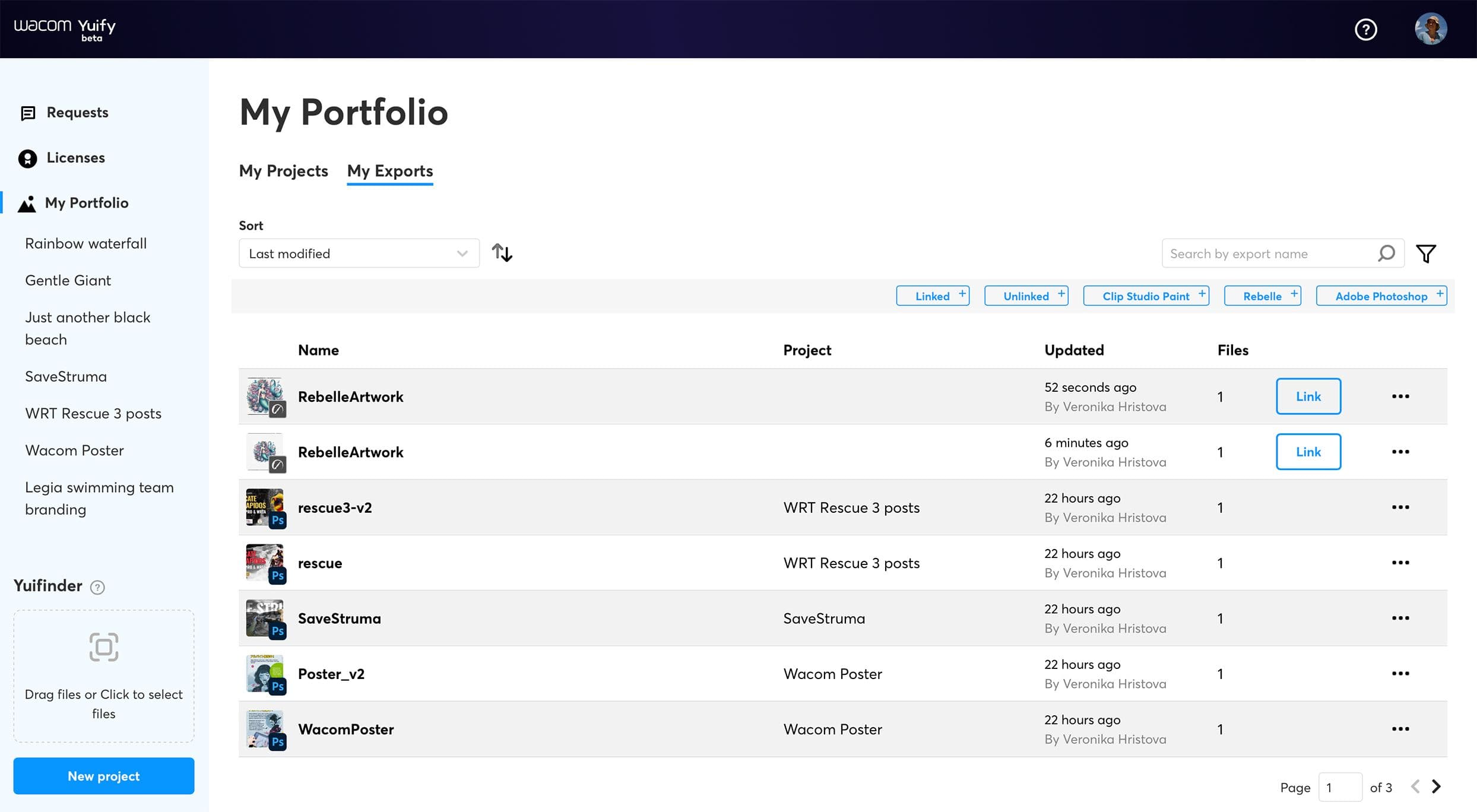
4. Yuify アプリを開く
5. アートワークの管理

ダウンロード

Wacom Yuify アプリ(app.yuify.com)を開いて、「設定」画面の「接続されたアプリケーション」タブに移動します。CLIP STUDIO PAINT カードで「詳細はこちら」ボタンをクリックし、ダウンロードします。

今後の予定は?

Wacom Yuifyの機能を強化し、他のクリエイティブ・ソフトウェア・アプリケーションとのパートナーシップを拡大するとともに、より幅広い画像形式との互換性を確保していきます。コアサービスは、引き続きすべてのユーザーが無料でご利用いただけます。

Future Updates image